 VexAI
Manga translator for Chrome
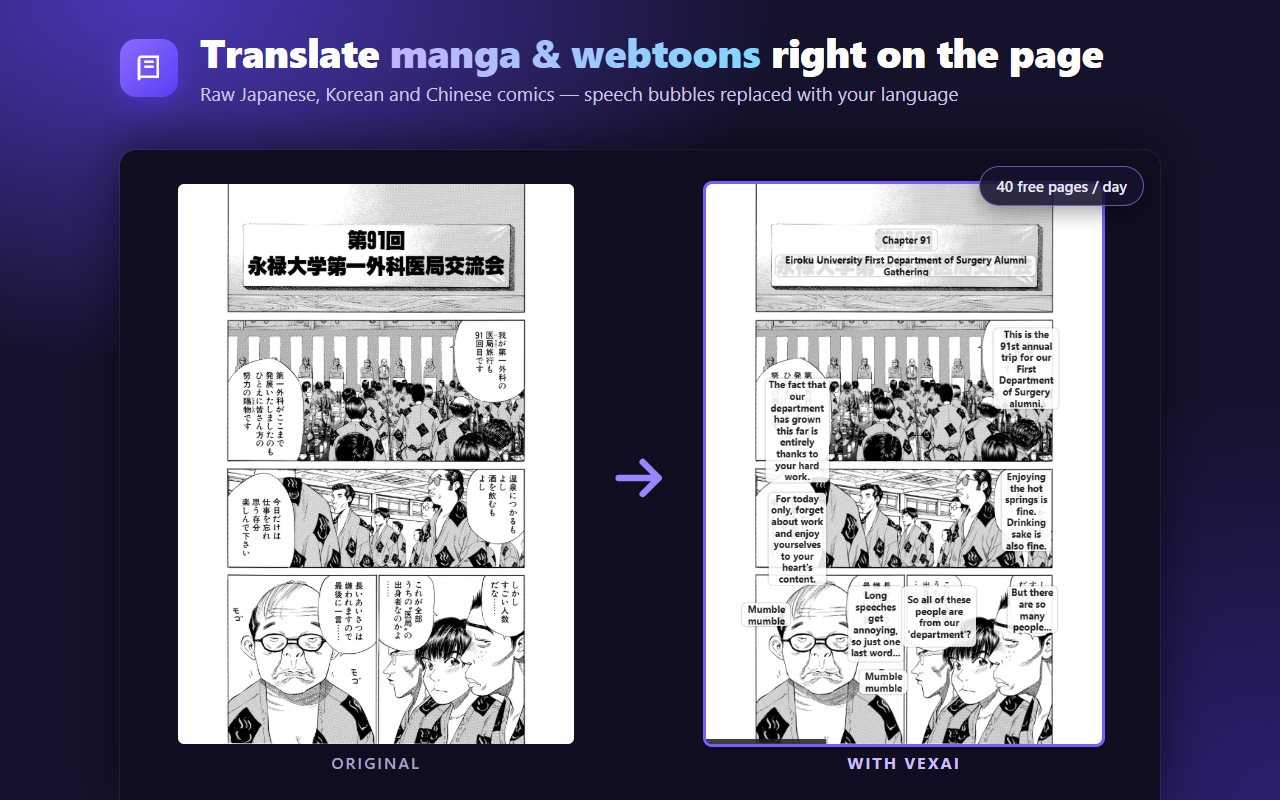
Read raw manga, manhwa, manhua and webtoons in your own language. VexAI reads the text in every speech bubble and replaces it with a translation on the page itself — no screenshots, no copying text into a translator, no waiting for scanlations.
Free mode: 30 comic pages a day, up to 100 a week. New accounts also get 20 free credits.
How to translate a manga page
- Install VexAI from the Chrome Web Store and sign in with Google.
- Open the chapter you want to read — on any site that shows comic pages as images.
- Click the VexAI icon → Comic → Translate all. Each page is translated as you scroll, and the bubbles are redrawn with the translated text.
Built for comics, not just text
- Japanese, Korean and Chinese source text — manga, manhwa and manhua — translated into English, Vietnamese, Indonesian, Spanish, Portuguese and many more languages.
- Long-strip webtoons and page-flip readers are both supported; translate one page or a whole chapter at once.
- Two modes. Free uses text recognition plus machine translation, 30 pages a day (up to 100 a week) at no cost. Smart lets an AI model read and translate each page in one step for more natural dialogue, using credits.
- Translation list beside the page shows every line with the original text, so you can check a name or a pun.
- Snip & translate any panel, sign or handwritten note: draw a box around it and read the translation instantly.
Questions
Is the manga translator free?
Yes. Free mode translates 30 comic pages a day (up to 100 a week) at no cost. Smart mode uses credits; every new account gets 20 free credits, and optional one-time credit packs are available if you read a lot — see pricing.
Which sites does it work on?
Most sites that show comic pages as normal images, including long-strip readers. Some readers draw pages on a canvas; VexAI supports common ones and keeps adding more.
Does it work with vertical Japanese text?
Smart mode reads vertical Japanese text well. Free mode works best with horizontal text — for vertical text, VexAI will suggest switching to Smart.
Do you keep the pages I translate?
No. Page images are processed to produce the translation and are not stored. See the Privacy Policy for details.