 VexAI
Read anything on the web, in your language.
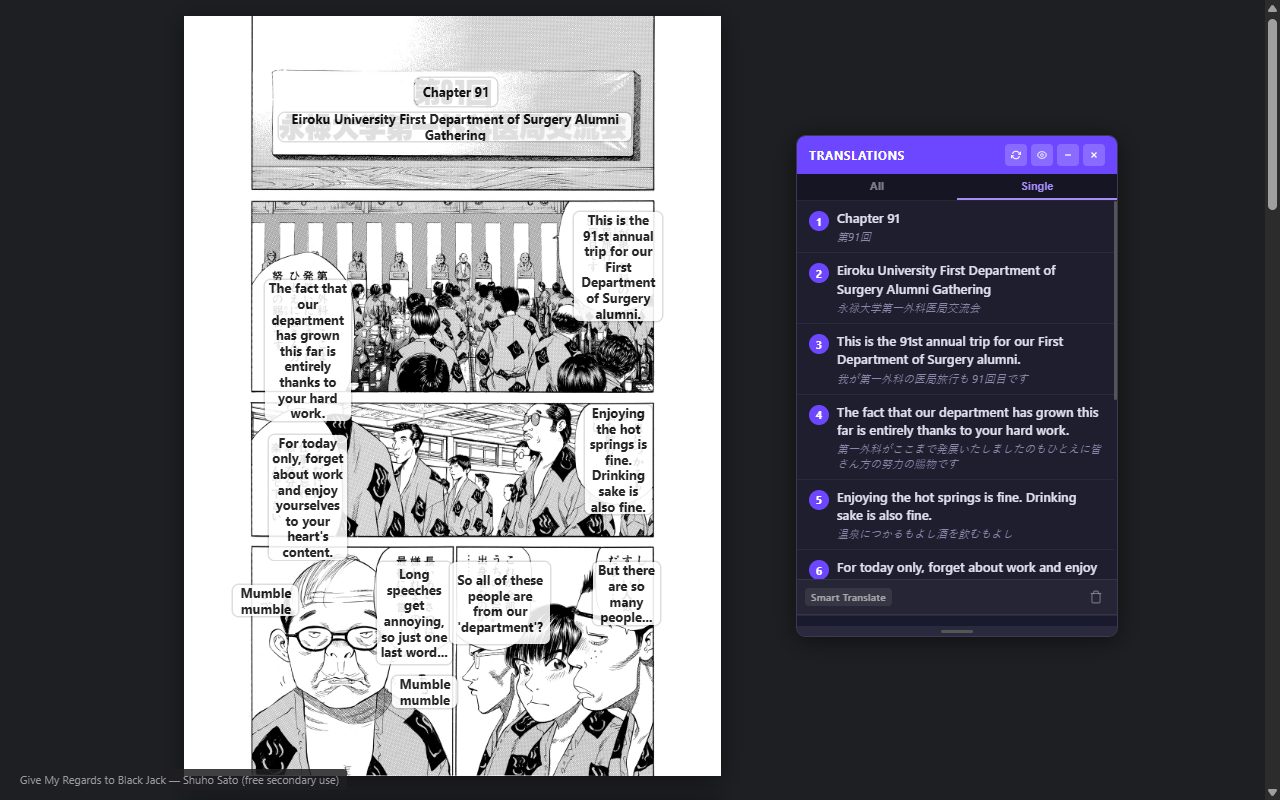
VexAI is a Chrome extension that translates web pages, images, comics and documents, answers questions about the page you are reading, and summarizes YouTube videos — right where you are, without copying and pasting.
Free to install. New accounts get 20 free credits.

One assistant for everything you read
Open the panel on any page, pick what you need, and keep reading.
Comics & images
Translate manga, manhwa and manhua pages in place — speech bubbles are replaced with your language, a page or a whole chapter at a time.
Page Assistant
Ask questions about the article you are reading, get summaries and explanations, and optionally search the web for context.
Web page translation
Translate a whole page while keeping its layout, or show the original and the translation side by side. Select any text for an instant translation.
YouTube video summary
The key points of a video in your language, right next to the player, with timestamped highlights you can click to jump to.
Snip & translate
Draw a box around any text on screen — in images and videos — and read the translation instantly.
Documents & writing
Translate documents with your preferred tone and terminology, polish or rewrite text so it reads naturally, and check whether a text or image looks AI-generated.
Free to start, one-time packs when you need more
Every new account gets 20 free credits, and many features are always free — see what's included. When you need more, buy an optional credit pack — one-time, no subscription:
Starter
Standard
Pro
Studio
Prices in USD, excluding sales tax/VAT. Buy inside the extension: Settings → Pricing.
Private by design
VexAI only reads a page when you ask it to, and we never record the pages you visit or sell your data. For the first 24 hours after install we keep a short diagnostic of how you use VexAI's own features — never the pages you browse — to fix problems new users run into. Read exactly what is sent where in our Privacy Policy.
A small team, just getting started
VexAI is made by Pyktools, a small and newly founded team, so some features and AI providers are still limited. Your support and feedback mean a lot — tell us what works, what doesn't and what you'd like next at support@pyktools.com, or with the feedback form in the extension (Settings → Support).